YouTube पर Featured Video कैसे Customize करें? | How to Customize a Featured Video on Your YouTube Channel?
[translate:YouTube का Featured Video: आपके Channel Customization की Ultimate Guide]
अपने Channel की First Impression को Elevate करें Returning Viewers के लिए और Engagement को Boost करें
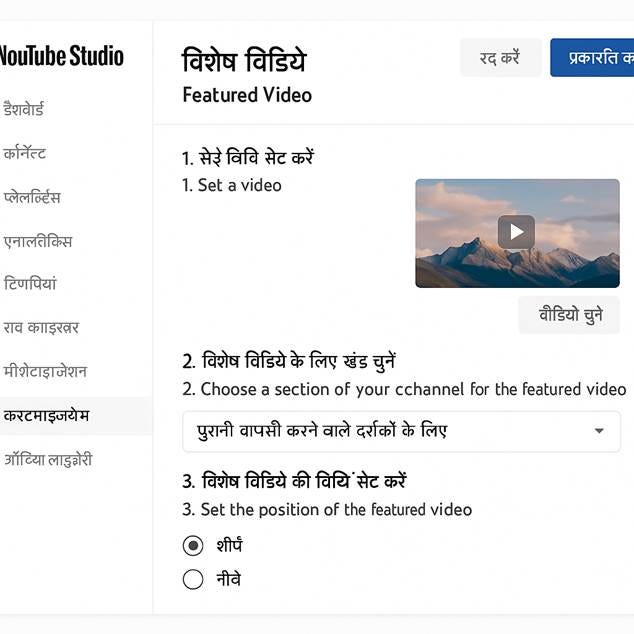
Bilingual YouTube Studio interface demonstration for featured video customization
YouTube channel को एक bustling marketplace की तरह imagine करें। New visitors आपके catchy trailer से attract होकर आ सकते हैं, लेकिन आपके loyal subscribers—आपके returning customers—एक special welcome deserve करते हैं। यहीं पर featured video का role आता है: यह आपका prime real estate है, आपका digital spotlight, और एक powerful tool जो आपकी audience को engaged रखने और बार-बार वापस लाने के लिए है।
This comprehensive guide will walk you through everything you need to know about mastering YouTube’s featured video functionality, ensuring your best content always shines brightest.
[translate:YouTube पर Featured Video क्या है?] | What is a Featured Video on YouTube?
Featured video एक specific piece of content है जिसे आप अपने channel homepage पर prominently display करने के लिए choose करते हैं, specifically उन viewers के लिए जो already subscribed हैं। Unlike a channel trailer, which is designed to introduce your content to new, unsubscribed visitors, the featured video targets your existing audience. यह एक opportunity है अपनी most valuable, recent, या relevant content को highlight करने के लिए उन लोगों के लिए जो already आपके work को know और love करते हैं।[1][2]
Think of it as a personalized recommendation from you, the creator, to your most dedicated fans.
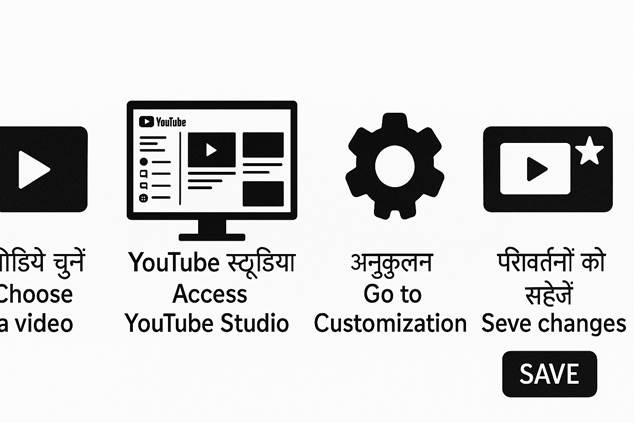
Visual step-by-step guide for YouTube featured video setup with bilingual labels
[translate:आपको Video को Feature क्यों करना चाहिए?] | Why Should You Feature a Video? The Power of Strategic Placement
Featured video slot का leverage करना सिर्फ एक blank space को fill करना नहीं है; यह एक strategic move है जो कई significant benefits offer करता है आपके channel के लिए:
Boost Engagement: Well-performing या highly relevant content showcase करके, आप subscribers को encourage करते हैं more watch करने के लिए, जिससे overall watch time और session starts increase होते हैं।[3][1]
Highlight Key Content: यह आपका chance है अपना best foot forward रखने का। Promote a new series, a viral hit, a seasonal special, या एक foundational tutorial जो perfectly encapsulates your channel’s value.[4][2]
Guide Viewer Journeys: आप subtly अपनी audience को direct कर सकते हैं उस content की तरफ जो आप चाहते हैं कि वे next देखें, whether it’s your latest upload, a crucial part of a playlist, या एक video जो current campaign को support करता है।
Maintain Freshness: Regular updates आपके featured video के keep करता है आपके channel को active looking और देता है returning subscribers को एक नया reason explore करने के लिए आपका page हर बार जब वे visit करते हैं।
[translate:Step-by-Step Guide: अपना Featured Video Setup करना] | Step-by-Step Guide: Setting Up Your Featured Video
Featured video setup करना एक straightforward process है YouTube Studio के अंदर। Follow these simple steps to put your content in the spotlight:
[translate:अपनी Customization Settings Access करना] | Accessing Your Customization Settings
YouTube Studio में log in करें और left-hand menu में “Customization” section पर navigate करें। यहाँ आपको “Layout,” “Branding,” और “Basic info” के options मिलेंगे। The featured video option resides under the “Layout” tab, typically beneath the “Channel trailer for people who haven’t subscribed” section.[1][2]
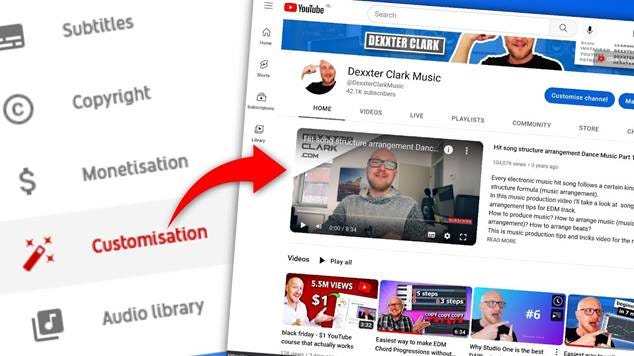
YouTube Studio customization menu highlights where to set and change your featured video on a channel’s homepage.
[translate:अपना Content Select करना Spotlight के लिए] | Selecting Your Content to Spotlight
[उस section को look करें जो titled है “Featured video for returning subscribers.”(pplx://action/translate) “ADD” button पर click करें।] A window will pop up, allowing you to search through your entire library of uploaded videos. आप keywords type कर सकते हैं quickly एक specific video find करने के लिए या अपने content को scroll कर सकते हैं।[1][2]
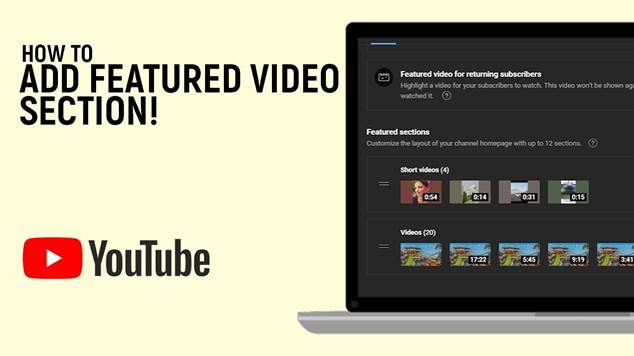
YouTube Studio interface showing how to add and customize the featured video section on a channel homepage for returning subscribers.
Pro Tip for Multi-Channel Creators: अगर आप multiple channels manage करते हैं same brand account के under, YouTube आपको उन affiliated channels से भी videos select करने की allow करता है, offering great flexibility in your content strategy.[4]
[translate:अपनी Strategic Choice बनाना] | Making Your Strategic Choice
एक बार आपने वह video find कर ली जिसे आप feature करना चाहते हैं, उस पर click करें। The video will then appear in the “Featured video” section. यह आपका chance है ensure करने का कि आपने most impactful content pick किया है। Consider:[1][2]
· आपका latest high-quality upload
· एक video जो align करता है current promotional campaign या seasonal theme के साथ
· एक evergreen video जो consistently well perform करता है और आपके core content को introduce करता है[3]
[translate:अपने Changes को Publish करना] | Publishing Your Changes
अपना video select करने के बाद, remember करें कि prominent “PUBLISH” button पर click करना है customization page के top right corner में। यह crucial step आपके changes को save करता है और आपके featured video को live बनाता है आपके channel पर। If you skip this, your selection won’t be applied.[1][2]
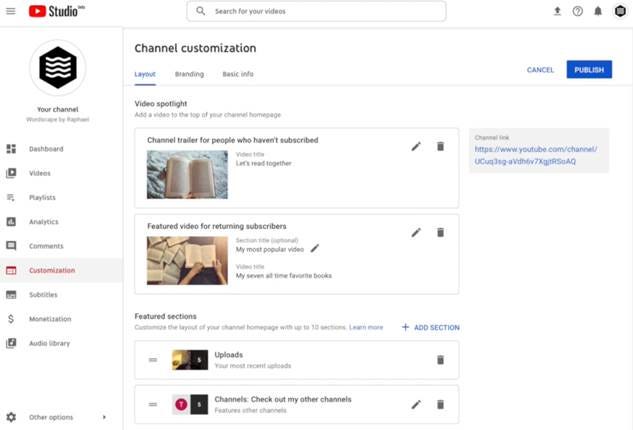
Screenshot of YouTube Studio’s channel customization layout tab showing how to set a featured video for returning subscribers.
[translate:Advanced Strategies अपने Featured Video के Impact को Maximize करने के लिए] | Advanced Strategies for Maximizing Your Featured Video’s Impact
इस feature की true power को harness करने के लिए, basic setup से beyond जाएं। Here are some advanced strategies to consider:
[translate:Regular Rotation: इसे Fresh रखें] | Regular Rotation: Keep It Fresh
इसे set करके forget न करें! We recommend refreshing your featured video periodically—ideally weekly या monthly, depending on your upload schedule. इसे करने के लिए, simply customization page पर वापस जाएं, अपने current featured video के next three-dot menu पर click करें, “Change video” select करें, और selection process को repeat करें।[3][2]
यह ensure करता है कि आपके loyal subscribers हमेशा कुछ नया और exciting पाते हैं देखने के लिए, encouraging repeat visits.
[translate:Performance-Driven Selection] | Performance-Driven Selection
अपने YouTube Analytics में dive करें! Identify videos that have high watch time, strong audience retention, या excellent click-through rates. ये proven winners हैं जो likely हैं कि आपके returning audience को effectively engage करें। While a new upload is often a good choice, पुराने, high-performing video को feature करने से न हिचकें जो still resonate करता है।[3]
[translate:Current Campaigns & Seasons के साथ Align करना] | Align with Current Campaigns & Seasons
अगर आप specific campaign run कर रहे हैं, product launch कर रहे हैं, या holiday celebrate कर रहे हैं, अपने featured video को उस theme के साथ align करें। For instance, एक cooking channel December में holiday recipes feature कर सकता है या summer में grilling tips। This makes your channel feel current and relevant.[4]
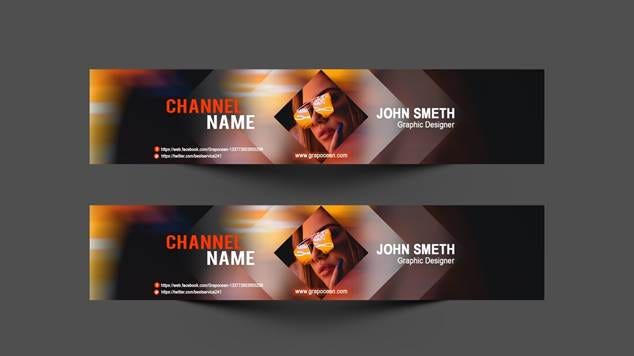
Professional YouTube banner template showcasing channel name, graphic designer identity, and social media links layout.
[translate:Mobile पर YouTube Channel Customization] | Mobile YouTube Channel Customization
Mobile users के लिए YouTube Studio app का इस्तेमाल करके भी featured video customize किया जा सकता है। The process remains similar but with a mobile-optimized interface:[5][6]
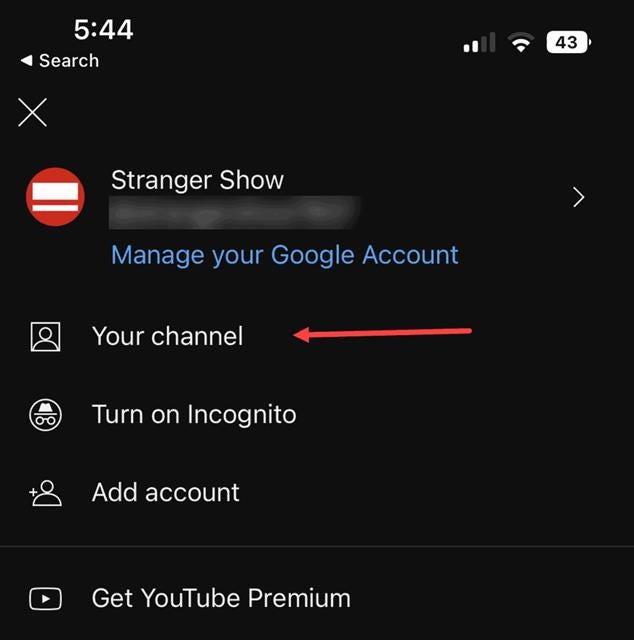
YouTube mobile app menu highlighting the “Your channel” option for channel access and customization.
1. YouTube Studio app को open करें
2. अपनी profile photo पर tap करें
3. “Your channel” option को select करें
4. “Customization” section में जाएं
5. Featured video के options को access करें
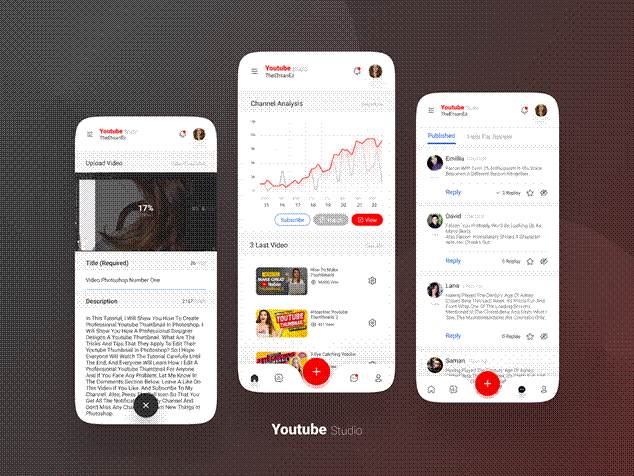
YouTube Studio mobile app interface showing video upload, channel analytics, and comments management for channel customization.
[translate:Channel Branding और Visual Identity] | Channel Branding and Visual Identity
Featured video के साथ-साथ, अपने channel की overall visual identity भी important है। Consider these elements for a cohesive brand experience:[4][7]
· Channel Banner: कम से कम 2048 x 1152 pixels का होना चाहिए[4]
· Profile Picture: Clear और recognizable होना चाहिए
· Video Watermark: Lower right corner में appear होता है subscribe करने के लिए[8]
· Consistent Color Scheme: आपके सभी visual elements में same colors का use करें[7][9]
[translate:सामान्य सवाल] | Frequently Asked Questions (FAQ)
[translate:YouTube पर featured video exactly क्या है?]
यह एक highlighted video है जो आपके channel के homepage पर specifically आपके subscribers के लिए display होता है। Its purpose is to promote key content, boost views, और अपनी loyal audience को engaged रखना है.[1][2]
[translate:मैं इस spot के लिए best video कैसे choose करूं?]
एक video select करें जिसमें strong metrics हों (high watch time, shares, या audience retention), आपका latest high-quality upload, या content जो current themes या promotional goals के साथ align करता है।[3]
[translate:क्या मैं featured video को anytime change कर सकता हूँ?]
हां, absolutely। You can change your featured video as often as you like. Simply अपने channel customization settings पर वापस जाएं, “Change video” select करें, नया pick करें, और फिर “Publish” पर click करें update apply करने के लिए।[2]
[translate:क्या यह feature mobile devices पर work करती है?]
हां, featured video fully responsive है और सभी devices पर effectively display होता है, mobile including। The updated YouTube Studio mobile app भी seamless editing ensure करता है आपके phone या tablet से.[5][6]
[translate:क्या मैं दूसरे channels के videos को feature कर सकता हूँ?]
हां, अगर आप multiple channels manage करते हैं same brand account के under, तो आप affiliated channels के videos भी select कर सकते हैं।[4]
[translate:बेहतर Results के लिए Tips] | Tips for Better Results
Content Quality: हमेशा high-quality, engaging content को feature करें जो आपके subscribers को value provide करे।[3]
Timing Strategy: Peak viewing hours के according अपने featured video को update करें।
Analytics Monitoring: Regular check करें कि आपका featured video कैसा perform कर रहा है और accordingly changes करें।[3]
Seasonal Relevance: Festivals, holidays, या special events के according अपने featured video को update करते रहें।[4]
[translate:मुख्य बातें] | Key Takeaways
आपका YouTube channel homepage आपका digital storefront है, और featured video आपके most valued customers—आपके subscribers के लिए आपकी most prominent window display है। By strategically rotating this spotlight onto your latest, greatest, या most relevant content, आप एक static page को dynamic engagement tool में transform करते हैं।
Success की key आपके featured video को एक active component मानने में है आपकी content strategy का, न कि एक set-and-forget element का। Regular updates, performance monitoring, और strategic selection आपको इस feature को अपनी fullest potential तक leverage करने में help करेंगे.[3][2]
Key Takeaway: आपका featured video एक movie theater के “coming attractions” की तरह है – यह काफी compelling होना चाहिए कि subscribers popcorn grab करना चाहें और full experience के लिए settle in करना चाहें, न कि सिर्फ concession stand की तरफ browse करना चाहें।

इस guide में दी गई information YouTube Studio के current interface पर based है और time के साथ change हो सकती है। For the most current information, always refer to YouTube’s official help documentation.
⁂
1. https://support.google.com/youtube/answer/3219384?hl=hi
2.
3.
4. https://qodeinteractive.com/magazine/complete-guide-to-starting-youtube-channel/
5.
6.
7. https://www.canva.com/youtube-channel-art/templates/
8.
9. https://www.canva.com/youtube/templates/
10.
11.
12.
13.
14.
15.
16.
17. https://www.youtube.com/intl/hi_ALL/creators/how-things-work/getting-started/
18. https://snappa.com/blog/how-to-start-a-youtube-channel/
19.
20. https://support.google.com/youtube/answer/2657964?hl=hi&co=GENIE.Platform%3DDesktop