





Learn HTML lists with complete UL, OL, and DL tutorial. Master unordered, ordered, and definition lists for better web development and SEO optimization.
Introduction
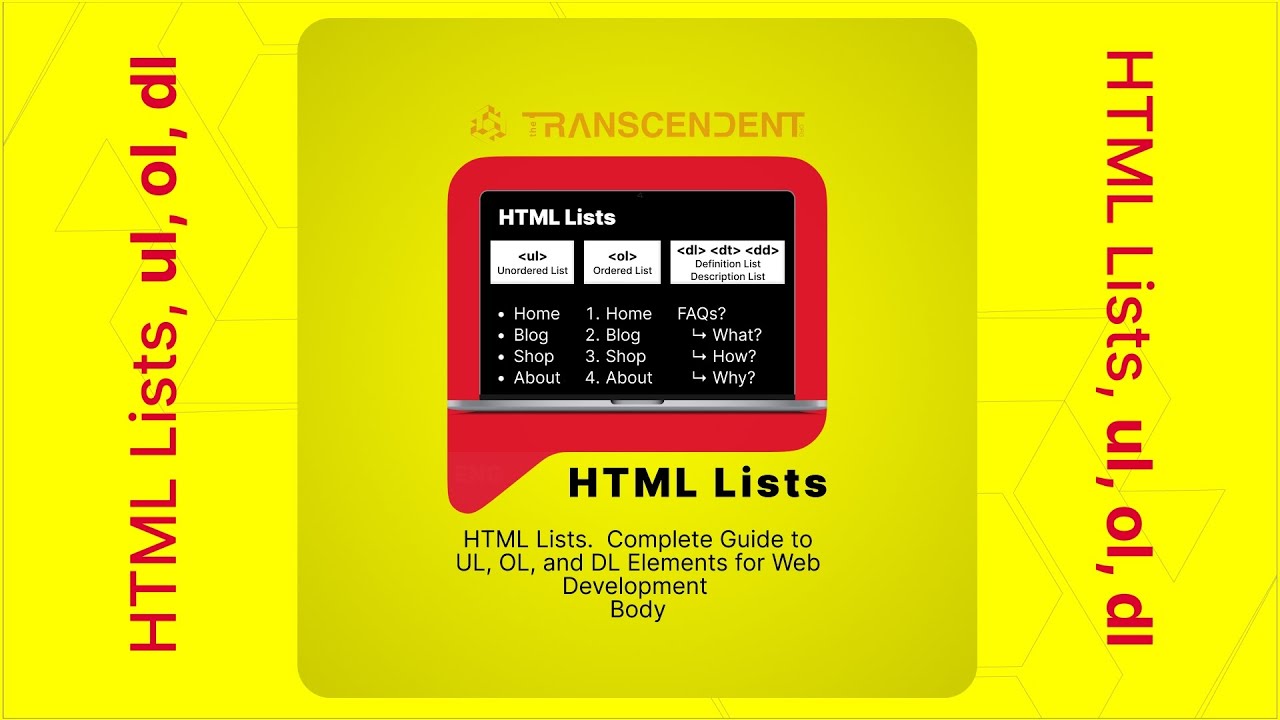
HTML lists are essential elements that structure content effectively on websites. Understanding unordered lists (UL), ordered lists (OL), and definition lists (DL) is crucial for creating well-organized, SEO-friendly web pages that enhance user experience and search engine visibility.
Understanding HTML Lists
Unordered Lists (UL)
Unordered lists display items with bullet points, perfect for navigation menus, feature lists, and content where sequence doesn't matter.
<ul>
  <li>First item</li>
  <li>Second item</li>
  <li>Third item</li>
</ul>
Ordered Lists (OL)
Ordered lists show numbered items, ideal for step-by-step instructions, rankings, and sequential content.
<ol>
  <li>Step one</li>
  <li>Step two</li>
  <li>Step three</li>
</ol>
Definition Lists (DL)
Definition lists create term-description pairs, excellent for glossaries, FAQ sections, and key-value content.
<dl>
  <dt>Term</dt>
  <dd>Definition</dd>
</dl>
Best Practices for HTML Lists
- Use proper semantic structure
- Maintain consistent indentation
- Choose appropriate list types
- Style with CSS for better appearance
- Ensure accessibility compliance
SEO Benefits
HTML lists improve SEO by providing clear content structure, enhanced readability, better user experience, and improved search engine understanding of your content hierarchy.
Conclusion
Mastering HTML lists is fundamental for web development success. Proper implementation of UL, OL, and DL elements creates better user experiences, improves SEO performance, and establishes professional web development standards.
FAQ - English
What are HTML lists and why are they important?
HTML lists are structural elements that organize related content items, improving readability and providing semantic meaning for search engines and accessibility tools.
How do you create an unordered list in HTML?
Use the <ul> element to wrap multiple <li> elements. Each list item displays with a bullet point by default.
What is the difference between UL and OL in HTML?
UL (unordered lists) display items with bullet points where order doesn't matter, while OL (ordered lists) show numbered items in sequence.
When should you use definition lists?
Use definition lists when creating term-description pairs, such as glossaries, FAQ sections, or any content requiring key-value relationships.
How can CSS improve HTML list appearance?
CSS can customize bullet styles, create horizontal layouts, add animations, and transform lists into navigation menus or card-based designs.
What are the SEO benefits of HTML lists?
HTML lists improve SEO by providing clear content structure, enhancing user experience, and making content easier for search engines to understand.
Where do you place list items in HTML?
List items (<li>) are placed inside list containers (<ul>, <ol>, or between <dt> and <dd> in definition lists).
Why should developers learn HTML lists?
HTML lists are fundamental for creating organized, accessible, and SEO-friendly websites that provide better user experiences.