

HTML Character Entities & Non-Breaking Spaces Guide
Master the hidden language behind symbols, spacing, and browser rendering
Every web developer eventually encounters a strange moment: a symbol typed into HTML suddenly disappears, breaks a layout, or behaves differently than expected. The browser is not being difficult—it is simply interpreting the character as code instead of content. In this lesson, we explore one of HTML’s most foundational yet underestimated systems: character entities.
At The Transcendent, we treat HTML entities not as memorization exercises, but as precision tools that allow developers to communicate clearly with the browser.
What You’ll Learn
HTML Character Entities
Understand why browsers interpret symbols differently and how entities solve the problem.
Reserved Symbols
Learn how less-than, greater-than, and ampersand symbols affect HTML structure.
Non-Breaking Spaces
Prevent awkward text wrapping and maintain professional typography.
Modern Best Practices
Use HTML entities intelligently in real-world development environments.
Why Do HTML Entities Exist?
HTML is both content and instruction. That dual identity creates a fascinating challenge. Some characters are treated as commands instead of visible text. The browser sees symbols like “<” and assumes we are beginning an HTML tag.
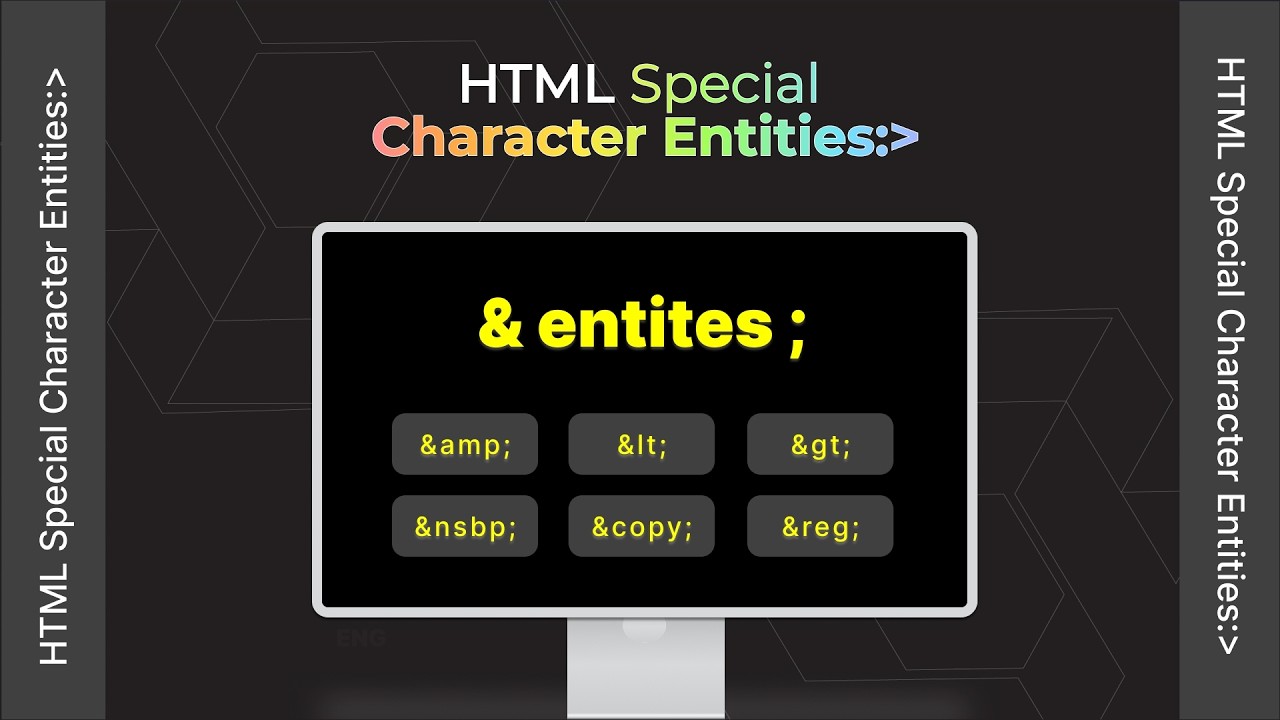
HTML character entities are special codes that allow developers to display reserved or difficult-to-type characters safely inside web content.
Think of entities as translators between human intention and browser interpretation. Without them, browsers may misunderstand what we actually want displayed on the page.
How HTML Entities Work
Every HTML entity follows a predictable structure:
For example, the copyright entity is written as:
© → ©
Reserved Symbols in HTML Explained
Some characters are deeply tied to HTML syntax itself. Browsers interpret them as part of the document structure rather than normal text.
The Transcendent Way
Use HTML entities to safely display reserved characters.
Example:
<div>
The browser now displays the code visually instead of executing it.
Most Important HTML Entities
| Character | Entity Code | Purpose |
|---|---|---|
| < | < | Displays the less-than symbol safely |
| > | > | Displays the greater-than symbol safely |
| & | & | Displays the ampersand character |
| © | © | Copyright symbol |
| Non-Breaking Space | | Prevents automatic line wrapping |
What Is a Non-Breaking Space?
Browsers normally collapse multiple spaces into a single space. They also use spaces as opportunities to wrap text onto the next line.
A non-breaking space changes that behavior. It tells the browser:
Real-World Example
Imagine the phrase:
Because of the non-breaking space, the browser treats the phrase as a connected unit. This is especially useful for:
- Brand names
- Measurements
- Dates and times
- Professional typography
- UI consistency
Why Browsers Collapse Spaces
HTML was designed to focus on meaning rather than manual spacing. If browsers respected every typed space exactly, layouts would become inconsistent across devices and screen sizes.
Standard Spaces
Multiple consecutive spaces collapse into one.
Example:
Hello World
Browser Output:
Hello World
Non-Breaking Spaces
Non-breaking spaces remain preserved.
Example:
Hello World
Browser Output:
Hello World
Modern HTML Entity Best Practices
1. Use Entities for Reserved Characters
Whenever a symbol could interfere with HTML parsing, use the proper entity.
2. Prefer Semantic Layout Techniques
Non-breaking spaces are useful, but they should not replace modern CSS spacing systems such as Flexbox, Grid, margins, and padding.
3. Maintain Readability
Excessive entity usage can reduce readability inside source code. Use them strategically instead of everywhere.
4. Understand Browser Interpretation
Great developers do not merely write code. They understand how browsers think.
Visual Flow: Browser Interpretation Process
The Golden Nugget
HTML entities are not “special tricks.” They are a communication protocol between the developer and the browser. Once we understand that principle, debugging mysterious rendering issues becomes dramatically easier.
Frequently Asked Questions
Why does HTML treat some characters differently?
Certain characters are part of HTML syntax itself. Browsers interpret them as instructions instead of visible content unless entities are used.
Should we memorize all HTML entities?
No. Most developers memorize only the common ones such as <, >, &, ©, and .
Is using considered outdated?
Not at all. It remains valid and useful when preventing unwanted line breaks between words or symbols.
Can we directly paste special symbols instead of entities?
Yes. Modern systems usually support Unicode characters directly. However, entities remain useful for clarity, compatibility, and reserved symbols.
What is the biggest beginner mistake with HTML entities?
Accidentally typing reserved symbols directly into HTML and wondering why content disappears or behaves unexpectedly.